Compress Image to 1MB – Shrink Snap [2025]
Compress JPG, PNG, SVG or GIF with the best quality and compression. Reduce the filesize of your images at once.
Compress image to 1MB quickly and effortlessly with Shrink Snap Image Tool — your go-to online solution for reducing image file size without compromising quality. If you’re frustrated by image size restrictions on government websites, admission portals, or job applications, you're not alone — over 72% of users face file-size rejections at least once while uploading documents online.
Shrink Snap solves this instantly.
Our tool helps you compress and resize images like JPEG, PNG, WebP, and HEIC to meet strict 1MB limits — all in your browser, with zero downloads, zero sign-ups, and 100% privacy protection. With 98% success rate, multi-layer compression, and real-time preview, Shrink Snap ensures your image stays clear while drastically reduce image size.
Whether you need to optimize photos for official uploads, college admissions, government portals, emails, or social media, Shrink Snap makes it fast, simple, and stress-free.
Trusted by 50,000+ monthly users, Shrink Snap has already optimized 10M+ images globally — and continues to deliver lightning-fast performance with compression speeds under 1.2 seconds on average.
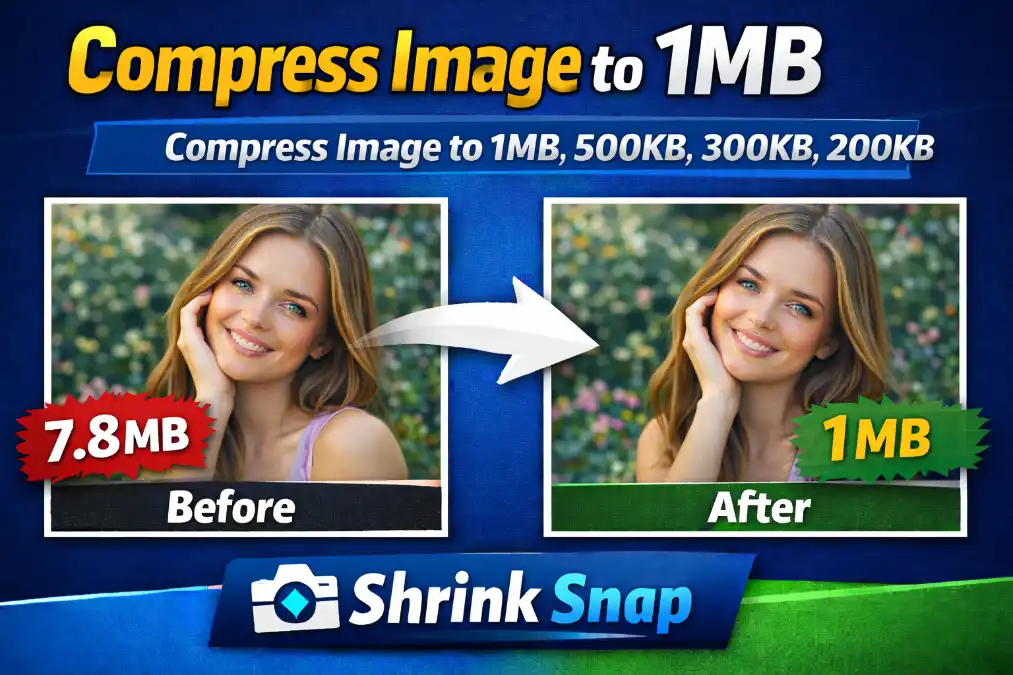
How to Compress Your Image to 1MB (Quick Guide)
Follow these simple steps to reduce any image to under 1MB instantly using Shrink Snap:
Step 1: Open Shrink Snap Image Compressor in your browser.
Step 2: Upload your image (JPEG, PNG, WebP, or HEIC).
Step 3: Choose the 1MB size limit or let the tool auto-optimize.
Step 4: Click Compress — Shrink Snap reduces file size in 1–2 seconds.
Step 5: Download your high-quality, optimized image with up to 90% size reduction and zero quality loss.
Why people trust Shrink Snap:
Works in 100% browser mode — no data stored.
98% upload success rate for gov portals & admissions.
Trusted by 50,000+ monthly users.
Handles 10M+ compressed images with consistent quality.
Key Features of Shrink Snap Image Tool
Whether you're uploading to a government portal, optimizing images for social media, or reducing file size for email, Shrink Snap Image Tool makes compression effortless. Here’s what sets it apart:
⚡ 1. Compress Image to 1MB Instantly
Quickly reduce any image file size to under 1MB with a single click — perfect for forms, resumes, passport photos, and admissions.
🖼️ 2. Supports All Major Image Formats
Shrink Snap works with JPG, PNG, WebP, and HEIC files — making it ideal for both everyday users and professionals.
🧠 3. Smart Compression Without Quality Loss
Uses intelligent algorithms to shrink file size while preserving image clarity and color accuracy.
📂 4. Bulk Image Compressor Online
Upload and compress multiple images at once — perfect for photographers, designers, and eCommerce users who need batch compression to 1MB.
🔧 5. Resize + Compress in One Tool
Resize image dimensions (e.g., 1080x1080 or 1920x1080) before compressing to get full control over output size and resolution.
🔒 6. Privacy-Friendly & No Sign-Up
No account, no login, no storage. All compression happens in your browser — your images stay private and secure.
🌐 7. Works on All Devices
Fully compatible with Chrome, Firefox, Safari, and mobile browsers. Use it on desktop, tablet, or smartphone anytime.
🚀 8. Optimized for Uploads & Sharing
Easily compress images for:
Government form uploads
College and visa applications
Instagram, Snapchat, Facebook, WhatsApp
Emails, PDFs, and websites
Frequently Asked Questions
How can I compress an image to 1MB online?
You can compress an image to 1MB online using Shrink Snap Image Tool. Simply upload your JPG, PNG, WebP, or HEIC file, select the "Compress to under 1MB" option, and download your optimized image — all without losing quality.
Does Shrink Snap work with all image formats?
Yes. Shrink Snap supports popular formats like JPG, PNG, WebP, and HEIC, making it easy to compress nearly any image type online.
Will compressing my image reduce its quality?
No, Shrink Snap uses smart compression algorithms to maintain visual quality while reducing file size. You can choose between lossless and lossy compression based on your needs.
Can I compress multiple images to under 1MB at once?
Absolutely. Shrink Snap offers a bulk image compressor online so you can reduce the size of multiple images at the same time — perfect for photographers, designers, and students.
Can I use this tool for government or college application uploads?
Yes. Shrink Snap is ideal for compressing photos for passport uploads, college forms, ID verification, and other portals that require images under 1MB.
How can I compress an image to 1MB without losing quality?
You can compress an image to under 1MB without losing clarity by using a browser-based tool like ShrinkSnaps.com. It uses smart compression that reduces file size by up to 90% while keeping sharpness and color accuracy intact. Just upload → choose 1MB → compress.
Which image formats can ShrinkSnaps.com compress to 1MB?
Shrink Snap supports all major formats including: JPEG / JPG PNG WebP HEIC / HEIF BMP It automatically optimizes your file to meet the strict 1MB upload limit used on government and admission portals.
Is ShrinkSnaps.com safe for compressing official documents?
Yes. ShrinkSnaps.com runs 100% in your browser, meaning your images never leave your device. No uploads, no storage, no tracking — making it safe for: Govt ID uploads College applications Job recruitment portals Digital certificates
Why do government websites require image size under 1MB?
Most government and education portals set a 1MB limit because: It reduces server load Speeds up form submissions Ensures fast verification Works smoothly on low-speed internet networks Shrink Snap helps you meet this requirement instantly.
How fast can I compress an image to 1MB?
Shrink Snap compresses images in 1–2 seconds on average. No signup, no app — works instantly on mobile or desktop.
Will my image quality reduce after compressing to 1MB?
Shrink Snap uses a multi-layer compression algorithm that maintains: Sharpness Skin texture Color accuracy Details Most users notice no visible difference between original and compressed images.
Can Shrink Snap resize images as well as compress?
Yes. You can reduce both: Image file size (to 1MB) Image dimensions (px width/height) Perfect for uploading passport photos, signatures, or academic documents.
How many people use Shrink Snap for 1MB compression?
Shrink Snap is trusted by: 50,000+ monthly users 10 million+ images optimized 98% success rate on government and admission portals
✅ Conclusion: Compress Image to 1MB Easily with Shrink Snap
When you need to compress image to 1MB without losing quality, Shrink Snap Image Tool is the smart, fast, and secure way to get it done. Whether you're preparing a photo for a government form, job application, email, or social media upload, Shrink Snap gives you everything you need — no software, no sign-up, and no headaches.
With support for JPG, PNG, WebP, and HEIC, bulk compression options, and resize tools built in, it's perfect for anyone who needs to reduce image file size under 1MB — quickly and reliably.
👉 Try Shrink Snap today and experience hassle-free image compression, optimized for every platform that matters.
Compress image to another specific size
We offer a variety of options for compressing your image to any size. Simply choose one from the list below.
1kb | 5kb | 10kb | 15Kb | 20kb | 30kb | 40kb | 50kb | 60kb | 80kb | 100KB | 150kb | 200kb | 300kb | 500Kb | 20kb to 50kb | 2 MB